
HUADISK 2IN1 2242 2280 NVMe M2 SSD 128GB 256GB 512GB 1TB M.2 PCIe3.0X4 Internal Solid State Drive NVMe HD DISK for DIY PC Laptop
128GB SSD NVMe
HK$1,471.00 HKD
HUADISK 2IN1 2242 2280 NVMe M2 SSD 128GB 256GB 512GB 1TB M.2 PCIe3.0X4 Internal Solid State Drive NVMe HD DISK for DIY PC Laptop
HK$1,471.00 HKD
✔ I have reviewed the product version and details
Pickup currently not available
SPECIFICATIONS
Application: Desktop,Laptop,Server
Brand Name: huadisk
Bus Type: PCIe 3.0x4
Cache: None
Capacity: 128GB 256GB 512GB 1TB
Certification: CE,FCC,RoHS
Choice: yes
Controller: SMI/Maxio
Cooling Fin: No
External Cache: 128M
High-concerned chemical: None
Input Volatge: 3.3V±5%
Interface Type: PCI Express,NVMe PCIe 3.0
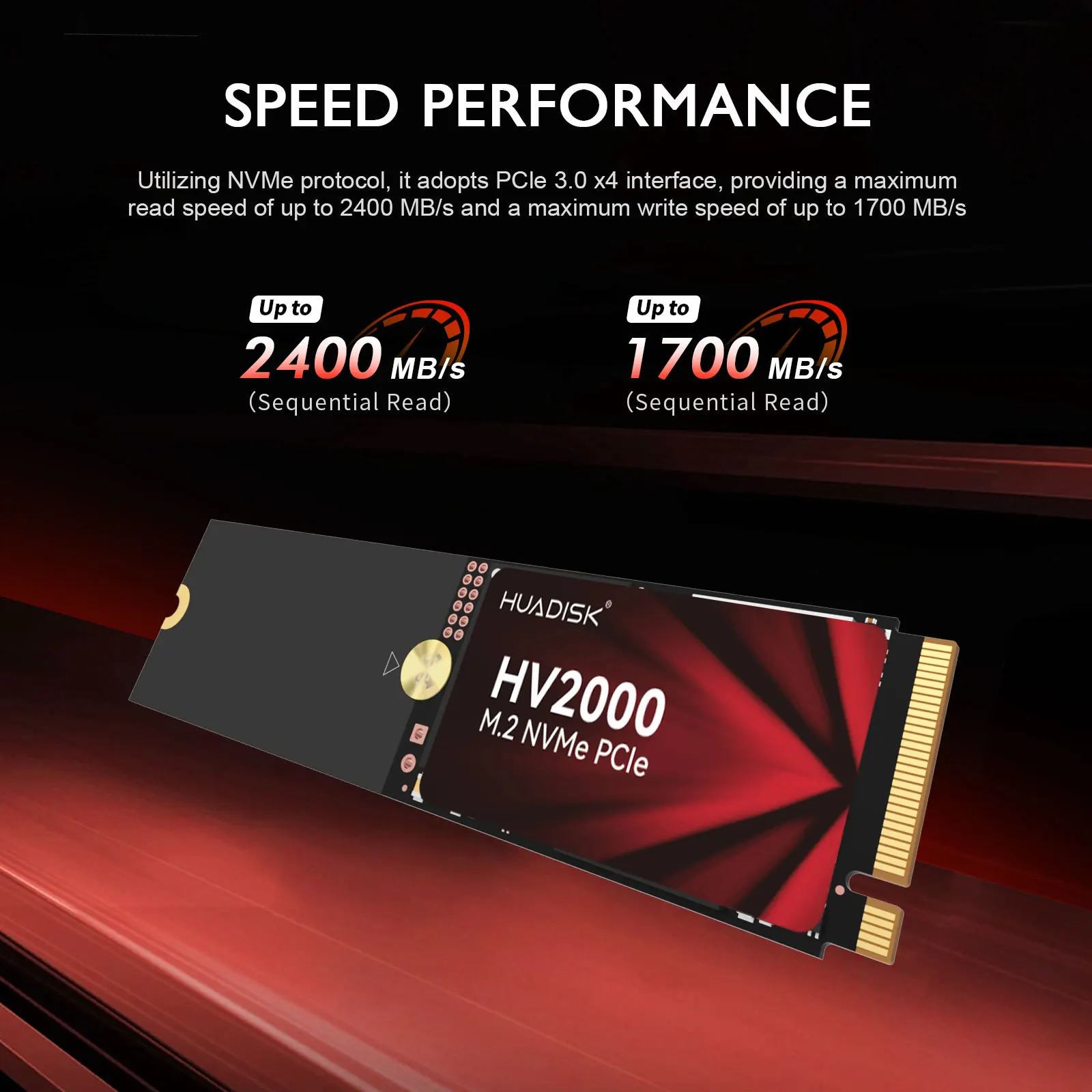
Max Sequential Read: 2500
Max Sequential Write: 1800
Model Type: HYVXXXX3(4280)
Nand Flash Type: TLC
Operation Temperature: 0-70℃
Origin: Mainland China
Package: Yes
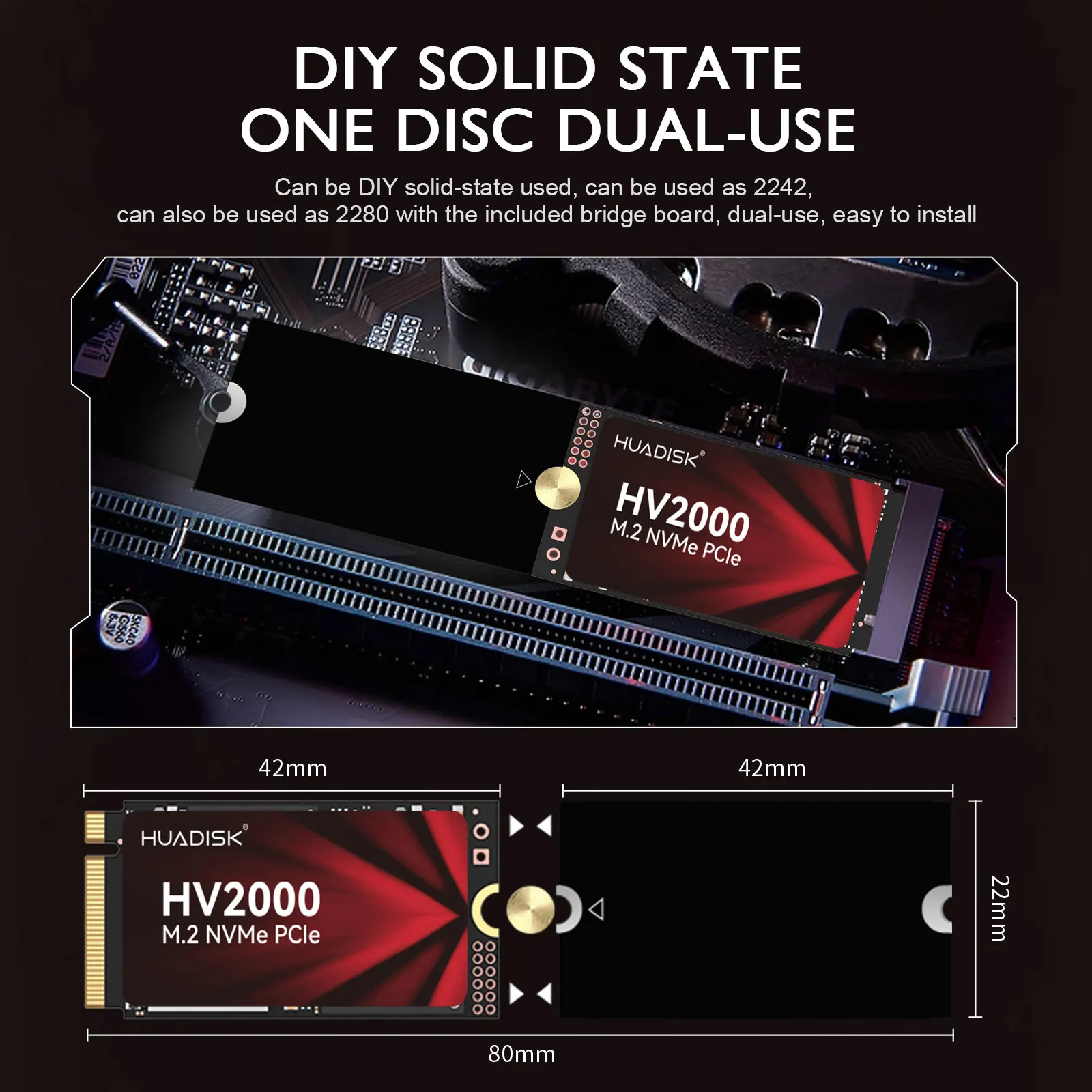
Physical dimension: 80mmX22mmX3mm
RGB: No
Size: M.2 2280
Style: SSD
Transport Protocol: NVME
Type: Internal
Warranty: 3 years

Descriptions:
>>Product name: M2 NVMe SSD 2242 & 2280
>>Interface protocol: NVMe PCIe 3.0X4
>>Controller: SMI
>>Nand Flash Type: TLC/QLC Send in Random
hysical dimension: 42(L)X22(W)X3(H)mm & 80(L)X22(W)X3(H)mm
>>SupportCapacity: 128GB 256GB 512GB
>>Max Sequential Read: 2500Mbps
>>Max Sequential Write: 1800Mbps
>>Input voltage: 3.3V±5%
>>Storage temperature: 0~70℃
>>TBW of Different capacity: 200TBW [256GB]
Product features:
1.High Efficiency Performance
Sequential read/write speeds can reach up to 2500/1800MB/s. Loading time is greatly reduced, making more efficient in booting, entering games and reading files.
2.Powered by a new SMI controller designed to harmonize the flash memory components and the interface for superior speed – with a NVMe PCIe 3.0X4 interface that's 5x faster than SATA SSD.
3.The HUADISK SSD is equipped with the original master control and original flash menory particles. It can be used with various loads, whether its daily work or playing large-scales games, and can easily handle it.
4. NVMe SSD 2242 to 2280 is suitable for portable devices such as desktop, all-in-one, and notebebook devices, compatible with Windows, Mac OS, Linux operating systems.

Package include:
>>1 X M2 NVMe SSD 2242 to 2280
>>1 X Package box
FAQ
Q: Why can't we find solid state drive and read/write data?
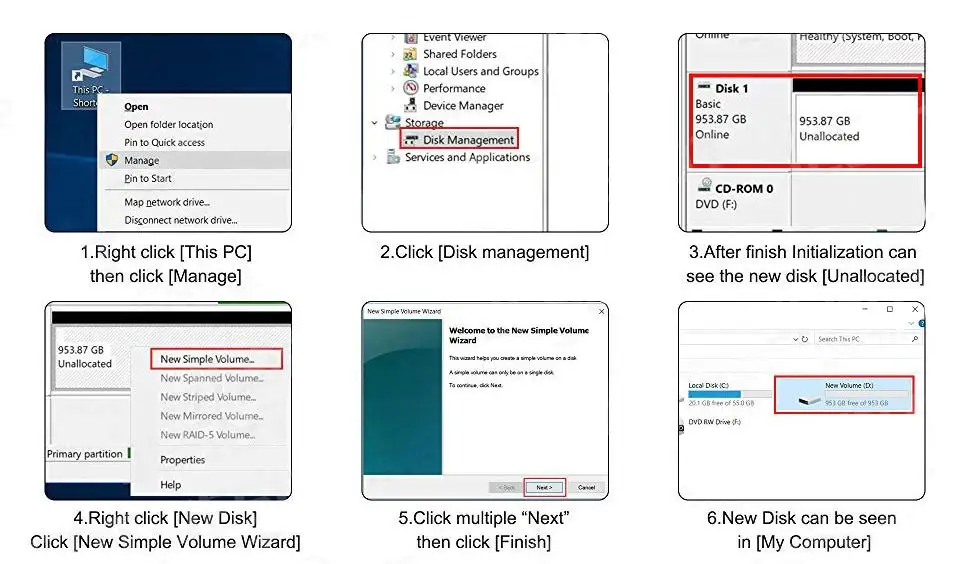
A: The new SSD generally need to be formatted in Disk Management.In Disk Management, select"Create and Format Hard Disk Partition", you will find it. If "Not Initialized" is displayed, right clink on the drive and select"Initialize Disk".
Q: Why is the speed test result different from the description?
A: Our test data is just for reference, our test results related to manyfactors, such as the status of hard disk, slot interface type, computer hardware grape, computer system, test platforms, and test software and so on. So, our speed test result will be different with you, hope you can understand.
Q: How to format SSD and achieve 4K alignment?
A: Win7 or higher version OS is recommended due to'Disk Management Formatting function is built in the systems. We recommend NTDS disk partition format and DISKGENIUS tool to make drive partition.

RLegal & Policy Links


Real Unboxing
Warehouse Packing
Shipping Orders Daily
Looking for More?
Subscribe to our emails
Be the first to know about new collections and special offers.